How to Choose a WiFi 7 Antenna for a Router
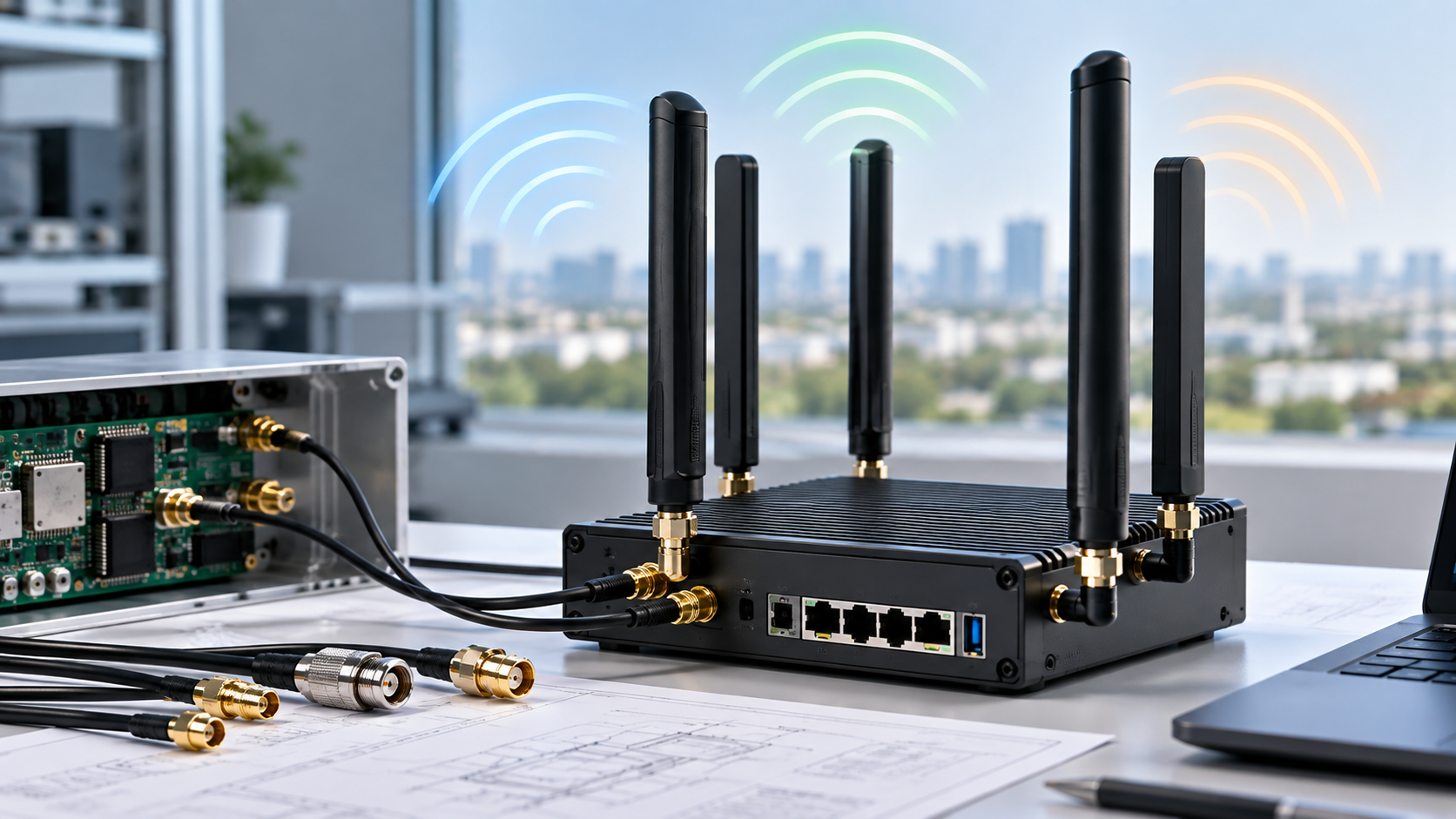
A WiFi 7 antenna for a router should be chosen by matching the router’s actual 2.4 GHz, 5 GHz and, when supported, 6 GHz radio bands; the number of RF chains used for MIMO; the antenna connector or embedded feed; and the final mounting environment. The antenna itself does not add WiFi 7 features to a router. It must provide suitable RF coverage for the bands and antenna paths that the router hardware actually uses.
For router manufacturers, network-equipment integrators and OEM projects, the most useful selection rule is simple: start with the radio specification and antenna-port map, then choose an antenna architecture that can be integrated without sacrificing band coverage, MIMO behavior or practical placement.
What Frequency Bands Does a WiFi 7 Router Antenna Need to Cover?
The required antenna range comes from the router’s radio design, not from the “WiFi 7” label alone. A router may use 2.4 GHz and 5 GHz, or it may also support 6 GHz operation. If 6 GHz is part of the product design, an older dual-band 2.4/5 GHz antenna should not be assumed to provide suitable 6 GHz performance without verified antenna data.
For a tri-band router, a tri-band antenna structure can cover the required 2.4, 5 and 6 GHz ranges in one antenna element when its documented operating range matches the radio. Another design may use separate antenna elements or arrays for different RF chains. The correct architecture depends on the router PCB, radio configuration, enclosure and antenna layout.
| Router Requirement | What to Verify | Why It Matters |
|---|---|---|
| 2.4 GHz radio | Antenna coverage across the router’s required 2.4 GHz channels | Supports the lower WiFi band used by the router. |
| 5 GHz radio | Antenna coverage across the required 5 GHz channels | Prevents choosing an antenna with incomplete high-band coverage. |
| 6 GHz radio | Verified antenna operation in the router’s required 6 GHz range | Important for router designs that actually use the 6 GHz band. |
| MIMO RF chains | Number of active antenna paths and their functions | Determines how many coordinated antenna elements or feeds are needed. |
| Mechanical interface | External connector or internal RF feed | Determines the practical antenna form factor and cable arrangement. |
Does Every WiFi 7 Router Need a 6 GHz Antenna?
No. The antenna requirement follows the router’s supported radios and target market. If a router design does not operate a 6 GHz radio, adding an antenna with 6 GHz capability does not create 6 GHz service. If the router does use 6 GHz, the antenna should have verified coverage for the required portion of that band.
This distinction is useful for procurement because product names can be broader than the actual RF requirement. Confirm the router chipset, radio specification and regional configuration before defining the antenna frequency range.
How Many Antennas Does a WiFi 7 Router Need?
The number of antennas should be derived from the router’s RF-chain and MIMO architecture. A 2×2 radio and a 4×4 radio do not have the same antenna-path requirements. A router may also use different antenna paths for different bands, so counting visible external rods is not a reliable way to determine the RF architecture.
For an external-antenna router, each required RF port needs an appropriate antenna connection. For an embedded design, multiple antenna elements must be integrated with attention to spacing, coupling, orientation and the surrounding ground and enclosure. Compact MIMO research for 2.4/5/6 GHz systems also shows why multi-element designs need to consider isolation and correlation rather than treating each element independently.
Should You Choose an External or Internal WiFi 7 Antenna?
External antennas
External paddle, rod or remote-base antennas can simplify antenna replacement and make orientation easier to adjust. They are practical for routers with accessible RF connectors and enough mechanical clearance. Their disadvantages can include visible hardware, connector requirements and, for remote antennas, additional cable loss.
Internal antennas
Internal PCB, FPC or other embedded antennas support a cleaner enclosure and can be designed into compact equipment. Their RF behavior is more dependent on the router’s PCB, plastic housing, metal shielding, heat sinks, cables and nearby components. Embedded antenna placement should therefore be planned early in the mechanical design and validated in the assembled router.
Which Connector Should a WiFi 7 Router Antenna Use?
Use the connector or RF feed specified by the router design. External WiFi equipment commonly uses SMA-family interfaces, including configurations where connector gender and center-contact arrangement must be checked carefully. Internal antennas may use miniature coaxial connectors or direct RF connections.
Do not order by the word “SMA” alone. Confirm the exact mating interface on both the router and antenna. Avoid unnecessary adapters because they add mechanical complexity and contribute insertion loss.
Does Higher Antenna Gain Always Improve a WiFi 7 Router?
No. Higher gain is not automatically better. Antenna gain is related to how RF energy is distributed in space, so a larger gain value usually comes with a different radiation pattern. A router that needs broad room or floor coverage may require a different pattern from a fixed point-to-point wireless link.
For router selection, review gain together with radiation pattern, band coverage, efficiency or other available RF data, antenna orientation and the installation environment. Do not use one peak dBi number as the primary purchasing criterion.
Why Do Antenna Placement and Orientation Matter?
Routers are often placed near walls, metal racks, displays, power supplies, cable bundles and other electronics. These objects can change the antenna’s RF environment. External antennas should have practical clearance from large conductive obstructions, while internal antennas should be positioned with the enclosure and PCB layout in mind.
In a multi-antenna router, orientation also affects polarization and the relationship between antenna elements. Avoid assuming that putting every external antenna at the same angle is always optimal. The router manufacturer’s validated antenna arrangement should take priority; for a new OEM design, test candidate arrangements in the production-intent enclosure.
How Does 6 GHz Change Antenna Integration?
Adding 6 GHz operation expands the high-frequency coverage required from the antenna system. This makes verified bandwidth especially important and can make mechanical integration more sensitive because the antenna must perform across a wider overall frequency span. The complete router design still determines real performance: antenna location, nearby metal, feed structure, MIMO isolation and enclosure effects all matter.
For OEM development, do not assume that an antenna validated only for older 2.4/5 GHz equipment is automatically suitable for a 6 GHz router. Use measured or otherwise verified antenna data for the actual frequency range required by the product.
WiFi 7 Router Antenna Selection Checklist
- Confirm the router’s active bands. Record whether the design uses 2.4 GHz, 5 GHz and 6 GHz.
- Map every WiFi RF chain. Identify the MIMO order and which ports or feeds belong to each radio.
- Define the antenna architecture. Decide whether the product uses external antennas, embedded antennas or a combination.
- Verify frequency coverage. Check the antenna’s documented operating range against every required router band.
- Confirm the RF interface. Match the exact connector or embedded feed arrangement.
- Review radiation behavior. Evaluate gain and pattern for the intended coverage rather than choosing by dBi alone.
- Plan antenna placement. Consider PCB ground, enclosure, metal, heat sinks, cables and antenna-to-antenna interaction.
- Validate the assembled router. Test the production-intent enclosure and antenna configuration instead of relying only on a loose antenna measurement.
What Are the Most Common WiFi 7 Antenna Selection Mistakes?
- Assuming every WiFi 7 router uses the same bands: verify the actual radio configuration first.
- Reusing a 2.4/5 GHz antenna for 6 GHz without data: 6 GHz suitability should be verified.
- Counting antenna rods instead of RF chains: visible antennas do not fully describe the MIMO architecture.
- Choosing the highest dBi value: gain without the right radiation pattern can be a poor match.
- Ignoring connector details: similar-looking SMA-family interfaces are not automatically compatible.
- Leaving embedded antenna placement until the enclosure is finished: nearby materials can materially affect RF behavior.
- Validating antennas outside the final router: integration effects should be checked in the assembled product.
Which Nova Antenna Categories Are Relevant to WiFi 7 Router Projects?
Nova Antenna maintains a current WiFi 7 Antennas category for antenna options intended for WiFi 7-related applications and a Router Antennas category for router-oriented form factors. These category pages are useful starting points, but the final antenna should still be selected against the router’s verified frequency bands, MIMO architecture, connector and mechanical design.
Review the current WiFi 7 Antennas category for available antenna formats.
For projects that combine WiFi with LTE or 5G in one enclosure, antenna integration becomes a broader coexistence and multi-radio problem. Frequency coverage, antenna spacing, isolation, enclosure layout and cable routing should be considered together rather than selecting each antenna only from its product label.
For the related multi-radio engineering issues, see integrated multi-band WiFi, LTE and 5G antenna design.
What Information Should You Provide for a WiFi 7 Router Antenna Request?
Prepare the router radio or chipset information, required 2.4/5/6 GHz frequency coverage, MIMO configuration, number of RF ports, connector interface, enclosure dimensions and materials, preferred internal or external antenna format, cable requirements and expected installation environment. For an OEM router, PCB and enclosure drawings can also help define realistic antenna locations before the hardware is finalized.
With those inputs, antenna candidates can be evaluated as part of the router RF system instead of as isolated accessories. This reduces the risk of selecting an antenna that fits mechanically but does not match the router’s actual band, port or integration requirements.